
Video Lecture Features
Completion requirements
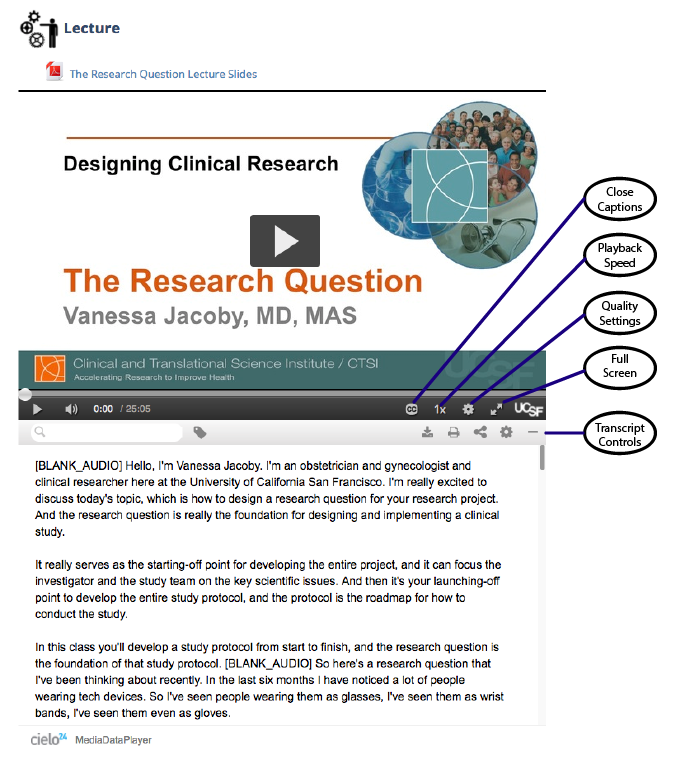
All video lectures are close captioned and include transcripts that appear below the video.
Close Captions - Text version of spoken part of the video. To view the close captioning, click on the cc icon. Click again to turn off.
Playback speed - Speed up or slow down the video.
Quality settings - Play video at high or low quality, depending on network speed/bandwidth. If video pauses/buffers, lower the quality for better playback.
Transcript Controls - The transcripts play with the video. Content is searchable in the search bar at the top of the transcript window. Type in a word or topic to go to that section of the video. You may download, print or share the transcripts from the transcript control bar.
Last modified: Monday, May 8, 2017, 12:58 PM