
Accessing TreeAge for free

Accessing TreeAge for free

by Albert Young -
Number of replies: 3

Follow these instructions to set-up MyResearch to access TreeAge through UCSF for free: https://wiki.library.ucsf.edu/display/MKB/MyResearch+Configuration+-+Windows+10

If you have a Mac, you can download Microsoft Remote Desktop for free through https://apps.apple.com/us/app/microsoft-remote-desktop/id1295203466?mt=12

Make sure that you're on the UCSF network or connected through VPN for this to work.
In reply to Albert Young

Re: Accessing TreeAge for free

by Albert Young -

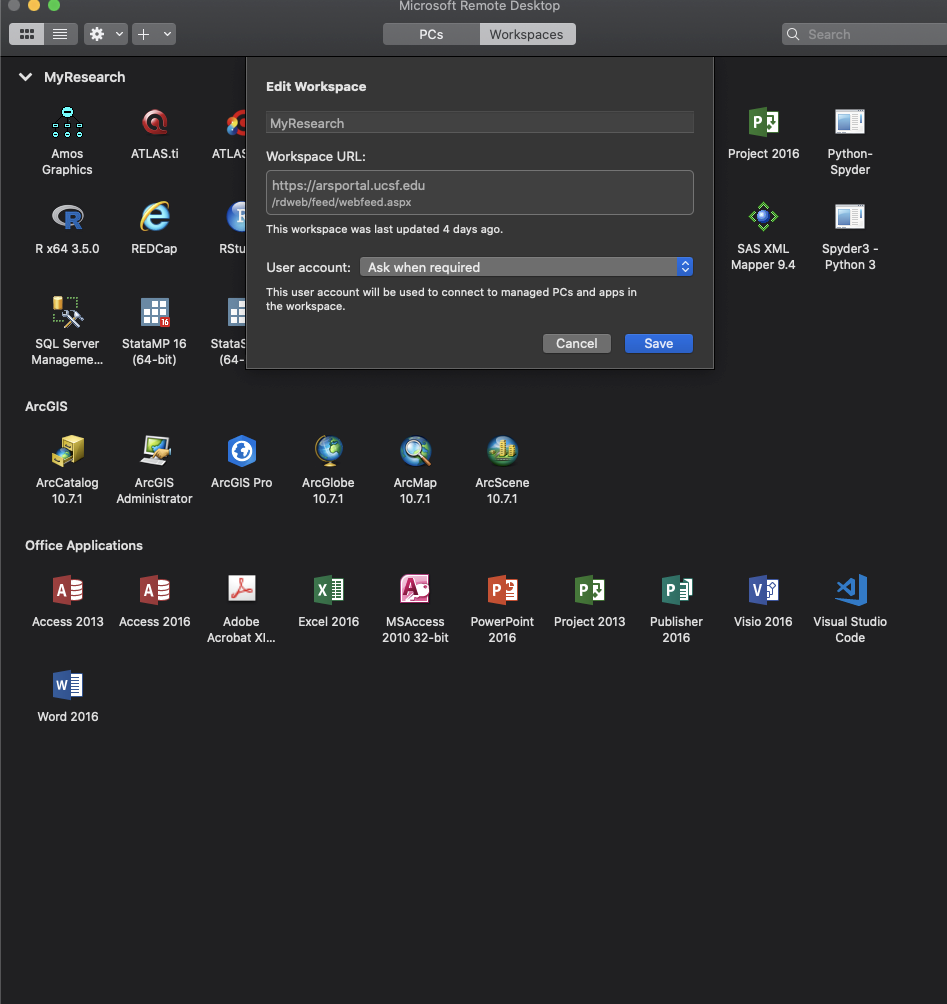
This is what my Microsoft Remote Desktop looks like on my Mac after the initial setup.


In reply to Albert Young

Re: Accessing TreeAge for free

by Albert Young -
If anyone has success setting this up on a Mac, or if you are troubleshooting, could you reply to this post or message me at albert.young@ucsf.edu?

I wonder if submitting a new RAE User request (https://it.ucsf.edu/service/rae) is needed to access TreeAge
In reply to Albert Young

Re: Accessing TreeAge for free

by Albert Young -
Sorry, the instructions I posted above don't seem to be working. To access TreeAge through UCSF, I've confirmed you need to contact UCSF IT to request a new account if you've never used MyResearch/RAE before: https://it.ucsf.edu/service/rae

We've also reached out to TreeAge, and a $55 student license is available for 6 months through their website.